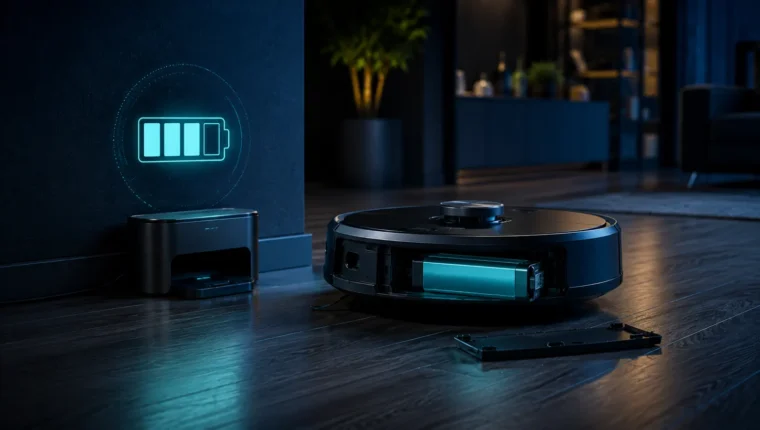
A robot vacuum is a small mobile robot that lives at floor level—exactly where dust, hair, grit, thresholds and chair legs are. It contains a traction system, suction motor, brush motors, battery, charging contacts and multiple sensors. Unlike a simple corded vacuum, it also has navigation electronics and software. Its lifespan is therefore a combination of ordinary wear parts and technology support.
A rough 4–7 year planning range is useful for consumer budgeting, but it is an editorial range rather than a manufacturer promise. The more useful question is whether the battery, brushes, filters, caster, wheels and cleaning head remain available. A robot with replaceable wear modules can stay useful long after the original battery has faded.
What wears out on a robot vacuum?
| Part | Typical role in aging |
|---|---|
| Battery | Gradual capacity loss reduces area cleaned per charge |
| Filter | Clogging reduces airflow and cleaning performance |
| Main brush / rollers | Hair, wear and damaged fins reduce pickup |
| Side brush | Bends and wears from constant wall-edge contact |
| Wheels and caster | Collect hair and debris; drive modules can wear mechanically |
| Sensors / contacts | Dirt causes navigation or charging problems |
| Software / app support | Can affect advanced features even if basic cleaning hardware still works |
Maintenance frequency is not optional
iRobot’s published care schedules are a useful illustration of how maintenance-heavy this category is. On some models it calls for weekly brush and filter care, with more frequent attention in homes with pets, while sensors and charging contacts have their own intervals. Exact schedules vary by model, but the principle is universal: robot vacuums need regular hands-on cleaning.
If you never clean a robot because “it is automatic,” performance will drift downward and motors may work against restricted airflow or tangled brushes.
Filters: cheap part, important airflow
A clogged filter reduces suction airflow. Some filters are washable, others are explicitly not. iRobot states that filters on several Roomba families should not be washed, even when the bin itself can be rinsed. That is why generic cleaning advice can be harmful—follow the filter instructions for the exact model.
Replace filters when cleaning no longer restores airflow or when the media is damaged. Buying a model with common, affordable filters improves ownership cost over time.
Hair is the hidden mechanical load
Long hair and pet hair wrap around roller ends, axles and front casters. The brush may still turn, but friction rises. Periodically remove rollers and end caps where the manual allows it, cut away hair and check that bearings or bushings rotate freely.
A loud robot is often asking for maintenance before it is asking for replacement.
Battery aging changes behavior before it causes total failure
A robot with a tired battery may still charge to “100%” yet clean a smaller area, return to the dock more often or fail to complete a long job. Because lithium-ion capacity declines gradually, this is normal aging rather than necessarily an electronics fault.
A replaceable battery is therefore a major longevity advantage. Before replacing the entire robot, check whether a genuine or reputable supported battery is available and whether replacement is documented.
Charging contacts and docking problems
Robot vacuums rely on exposed charging pads. Dust, oxidation or misalignment can make charging intermittent. iRobot includes contact cleaning in its maintenance guidance. If the robot repeatedly drives onto the dock but does not charge, clean the contacts and dock area before assuming the battery is bad.
Navigation sensors and “mystery” behavior
Cliff sensors, wall sensors, cameras and LiDAR windows can become dusty. Strange route choices, phantom cliff detection or repeated bumping may therefore be a cleaning issue. Use only the method recommended for the sensor surface—abrasive cleaners can make an optical problem worse.
Software support and functional obsolescence
A robot vacuum can be mechanically healthy while app features disappear or cloud services change. This is different from physical wear. For long-term ownership, favor devices that can perform basic cleaning locally even when advanced online features are unavailable.
Software support is difficult to score because policies can change, but it belongs in a serious longevity assessment for connected appliances.
Repair or replace?
Repair is attractive when the robot needs a normal wear component: battery, brush, caster, filter or modular wheel. Replacement becomes more attractive when several expensive modules fail, the charging system is damaged, core electronics are unavailable or software support removes essential functionality.
Do not compare a battery price with the cheapest new robot. Compare it with a replacement that has equivalent mapping, dock features, floor performance and parts support.
How to buy a robot vacuum that can age well
- Check whether the battery is replaceable without destructive disassembly.
- Look for official filters, rollers, side brushes and wheel modules.
- Check how long the product family has existed and whether parts remain available for older generations.
- Prefer common consumables rather than obscure proprietary shapes.
- Read the maintenance schedule before buying: it tells you what ownership actually requires.
Bottom line
Robot-vacuum longevity is less about one heroic motor lasting forever and more about maintainability. Keep filters and brushes clean, remove hair from rotating parts, maintain charging contacts and replace the battery when capacity—not the rest of the machine—is the real limitation. Parts availability is the difference between a robot that ages gracefully and one that becomes electronic waste after a modest failure.
Wheel modules are a major repairability test
A robot vacuum’s drive wheels do far more work than they appear to. They climb thresholds, correct direction hundreds of times per job and carry the machine over grit. If one wheel begins slipping or reporting encoder errors, a modular wheel assembly can turn a seemingly fatal navigation fault into a straightforward repair. Check whether the brand sells left and right wheel modules separately.
Dock complexity changes the ownership equation
Self-emptying and mop-washing docks add convenience but also add fans, bags, pumps, seals, heaters and dirty-water paths. The robot itself may be healthy while the dock develops a fault. When comparing lifespan, score the robot and dock as a system: consumable availability and cleaning access matter as much as the advertised automation.
When a software reset is worth trying
Mapping corruption, Wi-Fi problems or a stalled update can create behavior that looks like hardware failure. Before buying parts, follow the manufacturer’s reset and update procedure, then test the robot in a simple area. Do not repeatedly factory-reset a unit with a clearly mechanical wheel or motor problem; software cannot repair worn bearings.
Long-term ownership cost
Add up filters, bags, rollers, side brushes, mop pads and a likely replacement battery. A slightly more expensive robot with widely available consumables can cost less over six years than a cheaper model using rare proprietary parts.
Cleaning performance is the best early-warning signal
Track practical performance instead of waiting for a complete failure. If the robot starts leaving visible debris, needing extra passes or returning to the dock with a full battery but poor pickup, inspect the filter, rollers, suction path and bin seal. A gradual decline often comes from wear or restriction rather than a dead main board.
After maintenance, test the robot on a known area with a repeatable amount of debris. A simple before-and-after comparison is more useful than relying only on app percentages or subjective noise.
An external lifespan benchmark: what European product data adds
Owngevity uses a broad 4–7 year planning range because individual robot vacuums differ sharply in battery access, wheel modules, docks, software support and spare-parts availability. A useful external reality check now comes from the European Environment Agency’s Circularity Metrics Lab: its household-appliance lifespan data indicates that robot vacuum cleaners were used for roughly five and a half years on average in the 2023 data it reports.
| Number | What it means | What it does not mean |
|---|---|---|
| ≈ 5.5 years | Observed average-use benchmark in the EEA dataset | A guaranteed life for every brand, home or model |
| 4–7 years | Owngevity planning range covering common consumer outcomes | A manufacturer specification or warranty promise |
| Battery/parts life | Component-level limits that can be shorter than whole-product life | Proof that the whole robot should be discarded when one module wears |
Why the distinction matters
A population average is valuable because it anchors the discussion in observed product use, but it cannot tell you how long a specific robot will last. A replaceable battery, available wheel modules and long-lived consumables can keep one unit useful beyond the average; an unsupported dock or unavailable proprietary part can end another unit’s life much earlier. Use the external benchmark as context, then judge the actual machine by repairability and parts support.
Evidence note: The EEA figure is a European product-lifespan benchmark rather than a manufacturer durability claim. Owngevity therefore keeps its broader planning range and labels it as an editorial estimate. Primary source: European Environment Agency.